
DINSDALE APEX — MOBILE & FIELD WORK
Apex FieldFrom the first site visit to the finished report.
Collect quote details, see your jobs and record the work on your phone. Give the office the information it needs to finish quotes and send clear customer reports — without rebuilding the visit afterwards.
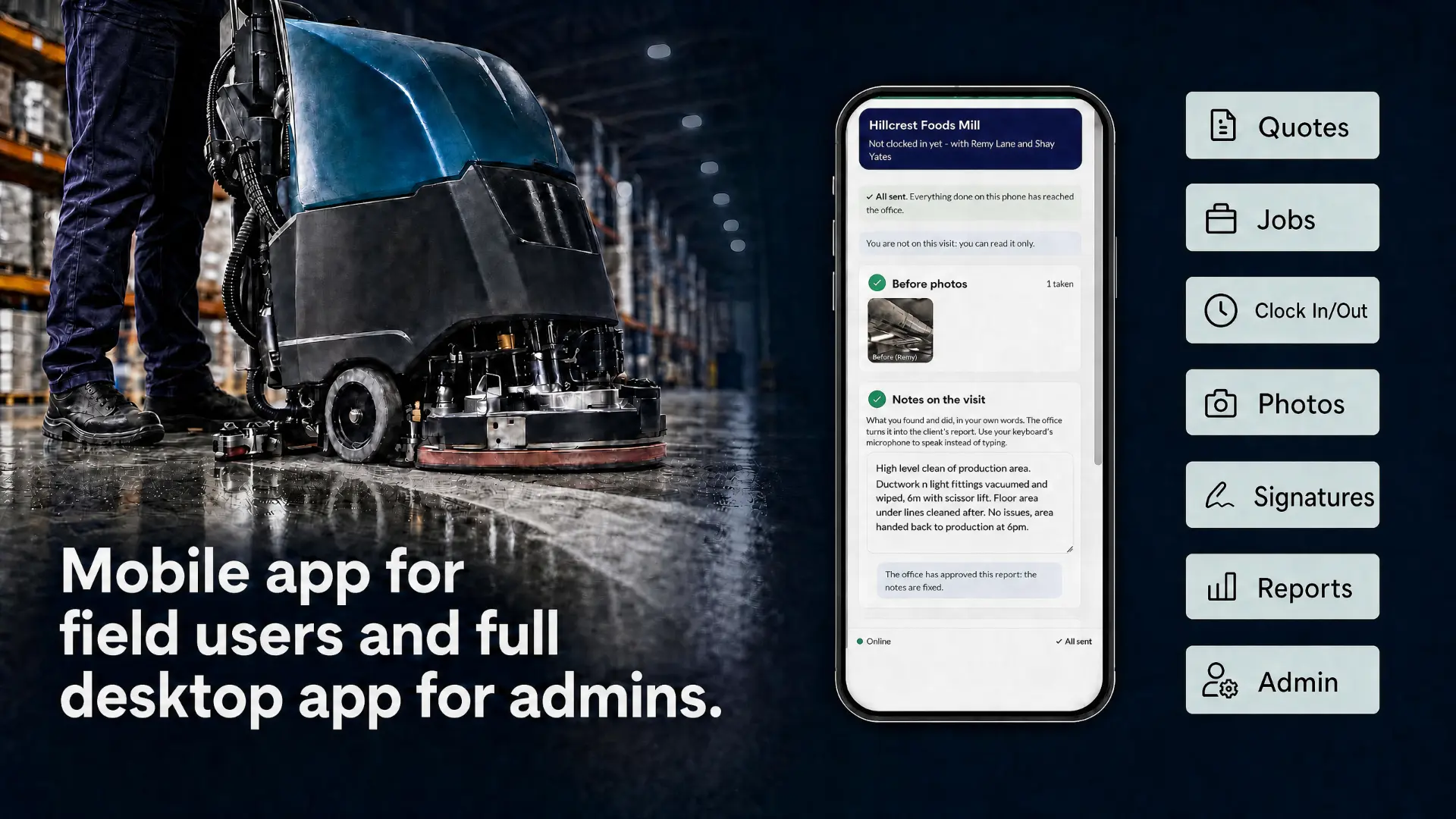
One job. A connected process.
Keep the information moving from the first visit to quoting, planning, site work and customer reporting. A mobile option for the people doing the work. A desktop option for the office.
- 1
Collect the quote on site
Take photos and capture the details in spoken or typed notes while you are there. The office finishes the quote professionally and sends it to the client, ready to sign online or on paper using a PDF.
- 2
Assign the people and resources
Allocate staff, vans and the equipment or plant needed for the job. Apex Field integrates with Visual Planning for flexible planning and scheduling.
- 3
Record the work as it happens
Clock in on arrival. Capture visit notes, before-and-after photos and signatures on a phone. Record add-on and remedial work while the opportunity is still in front of you.
- 4
Send a clear customer report
Completed work returns to the office. Admins prepare and send customer reports from the information captured on site, giving clients a clearer account of what was done.
See Apex Field in action.
A short introduction to the mobile visit and the office work around it: quote information collected on site, the job planned with Visual Planning, and the record returned for the customer report.

Apex Field introduction — runs about one minute, with sound.
The day’s work, on your phone.
Apex Field puts practical job information and visit capture within reach, with an interface designed by operations specialists to be easy to use and navigate.
Your diary and holidays
See your diary and holidays on your phone, with the work ahead in view.
Job location and site contact
See where the job is, open Google Maps for directions or click through to call the site contact.
Clock in on site
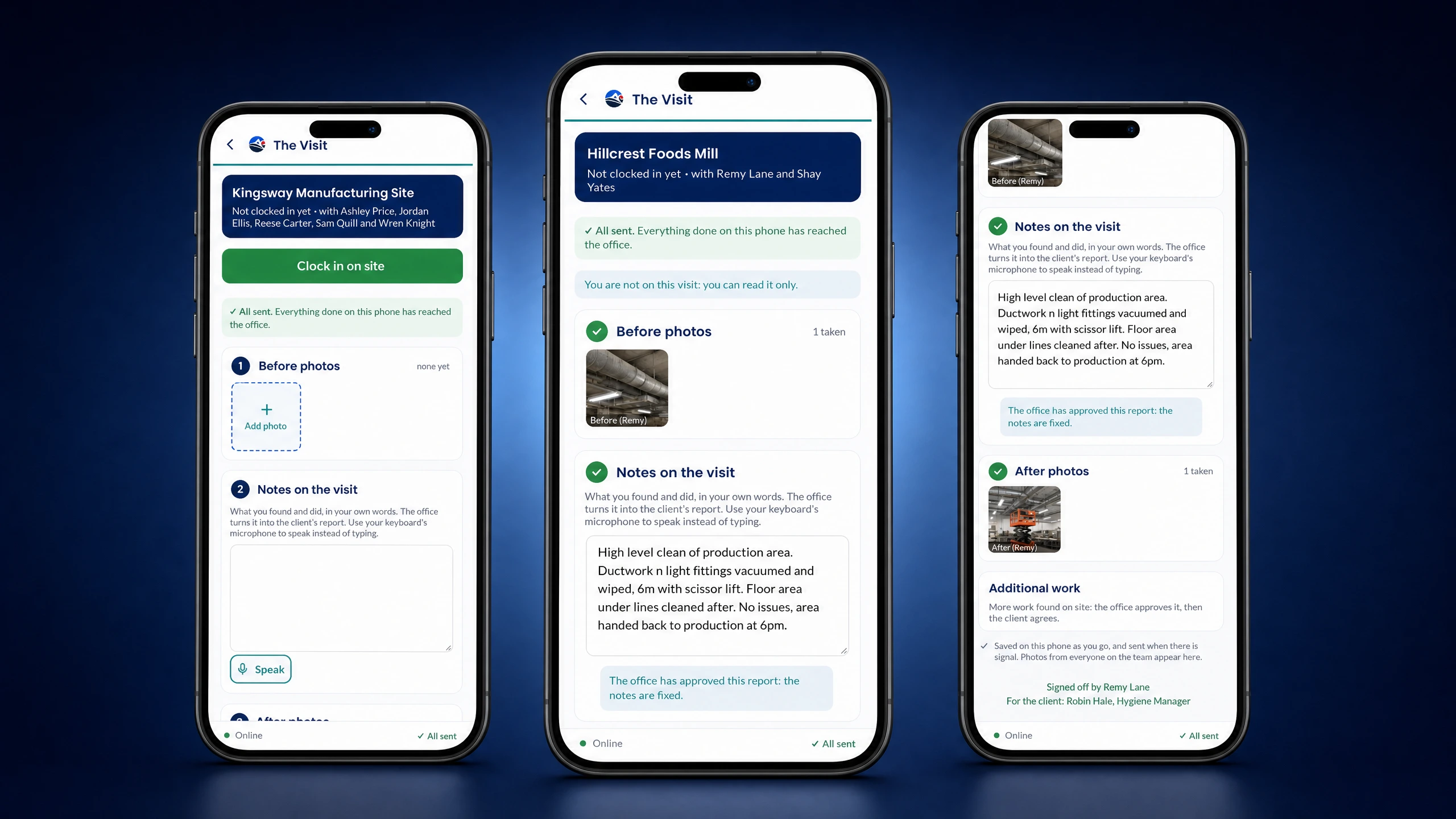
Clock in when you arrive and begin recording the details of the visit.
Speak or type your notes
Capture quote information and visit notes verbally or in text, while the details are fresh.
Before-and-after photos
Collect photos during the visit to show the condition you found and the work you completed.
Signatures at the point of work
Collect signatures on site and return them to the office with the visit record.
Plan the whole job, not just the person.
Through its integration with Visual Planning, Apex Field connects the job with the staff, vans, equipment and plant needed to carry it out. Flexible planning supports the field workflow rather than sitting apart from it.
- Assign work to staff alongside the resources they need.
- Keep the diary, holidays and job location visible on a phone.
- Go straight to Google Maps or call the site contact.
- Carry the information collected for the quote into the work ahead.
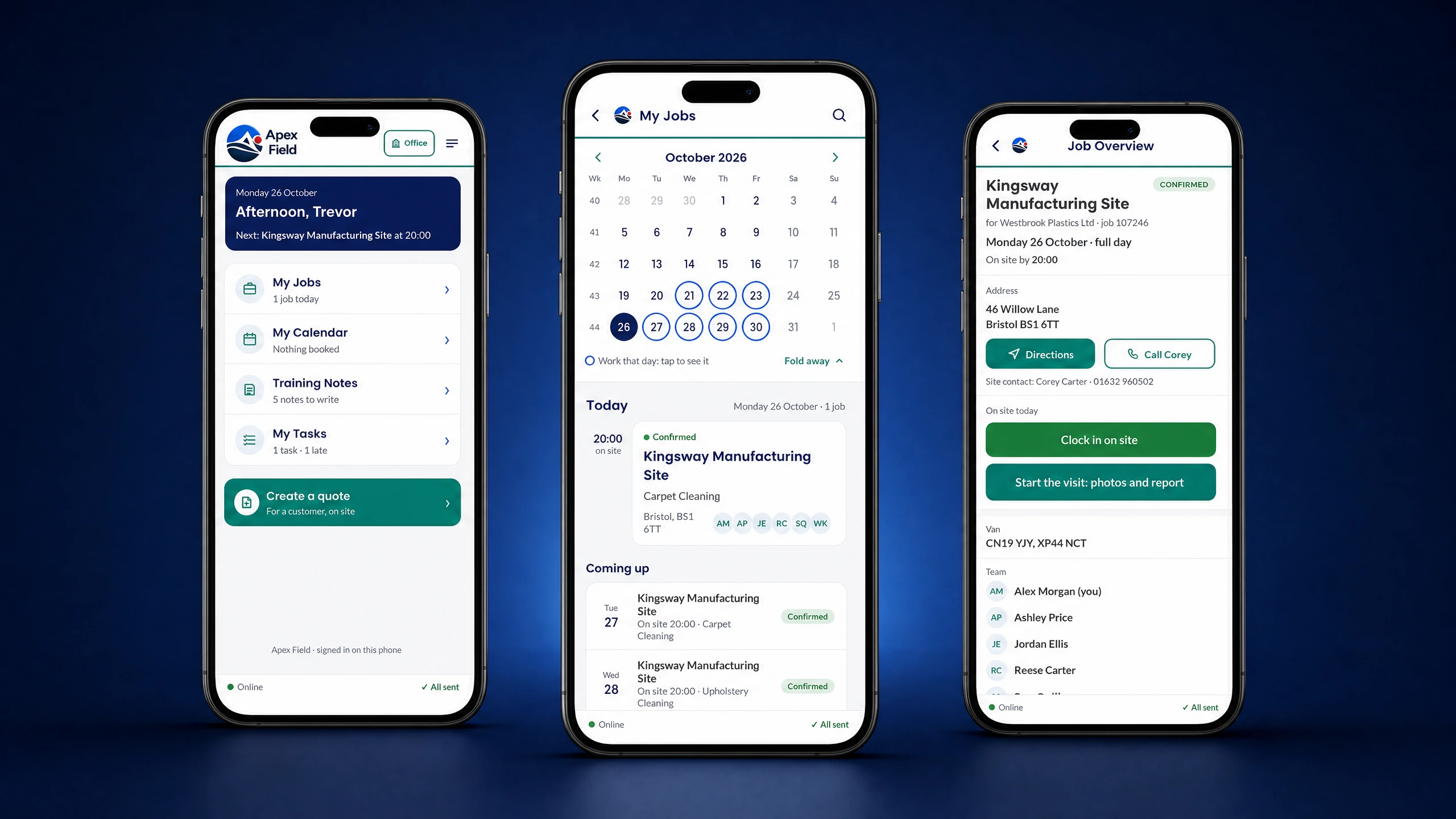 Screen 1 of 6: Jobs and the job overview on a phone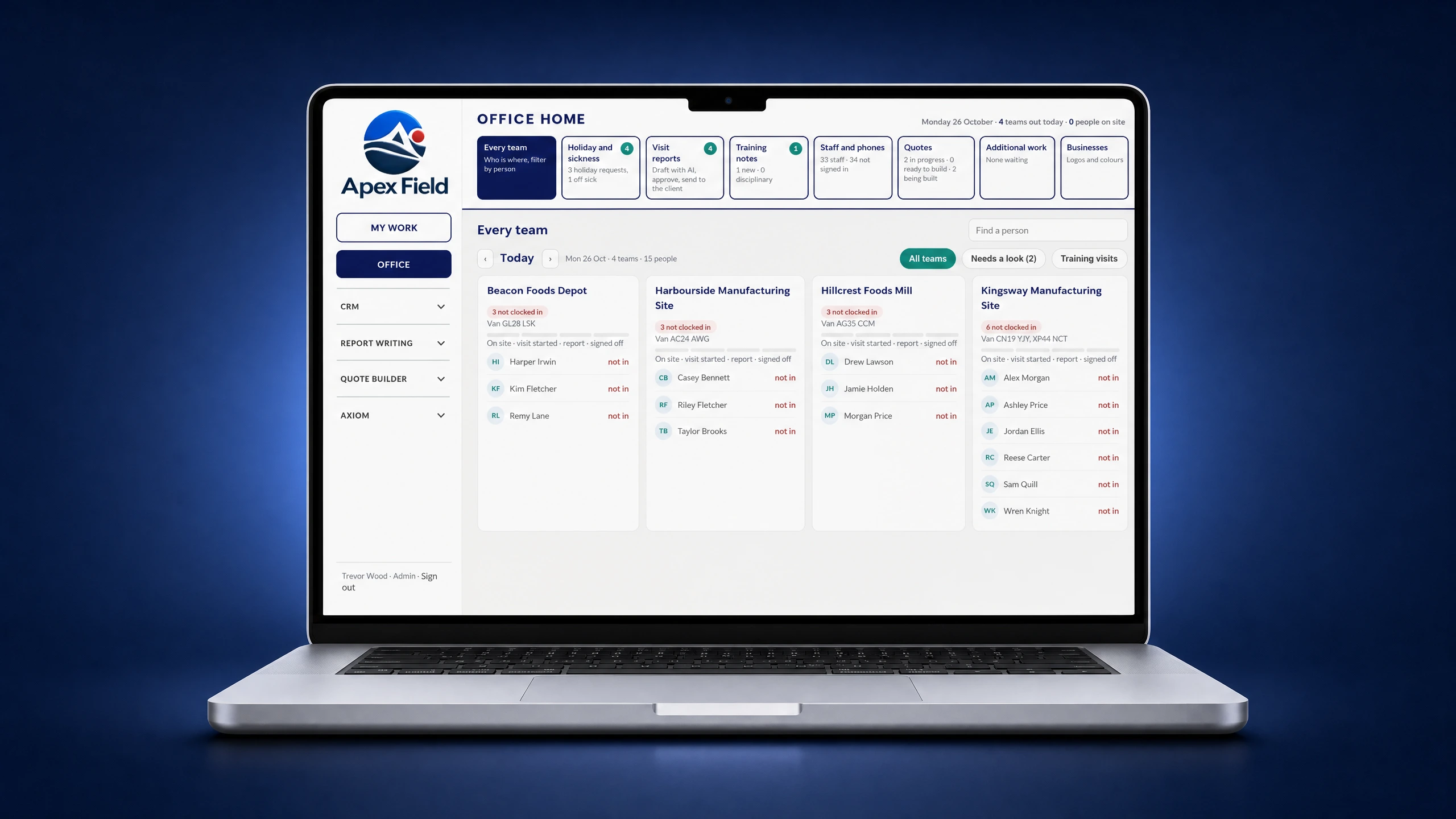
Field information. Office-ready follow-up.
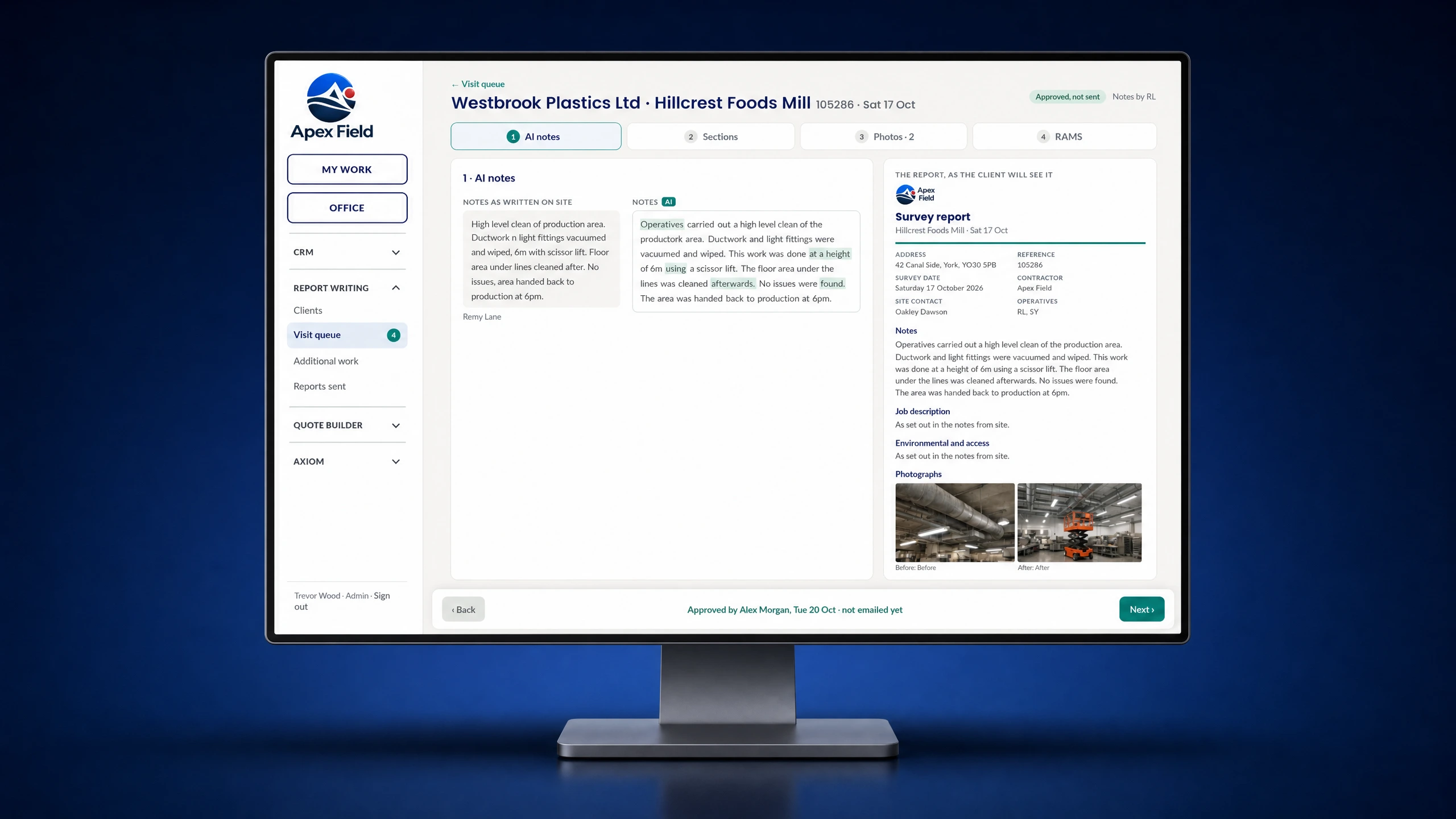
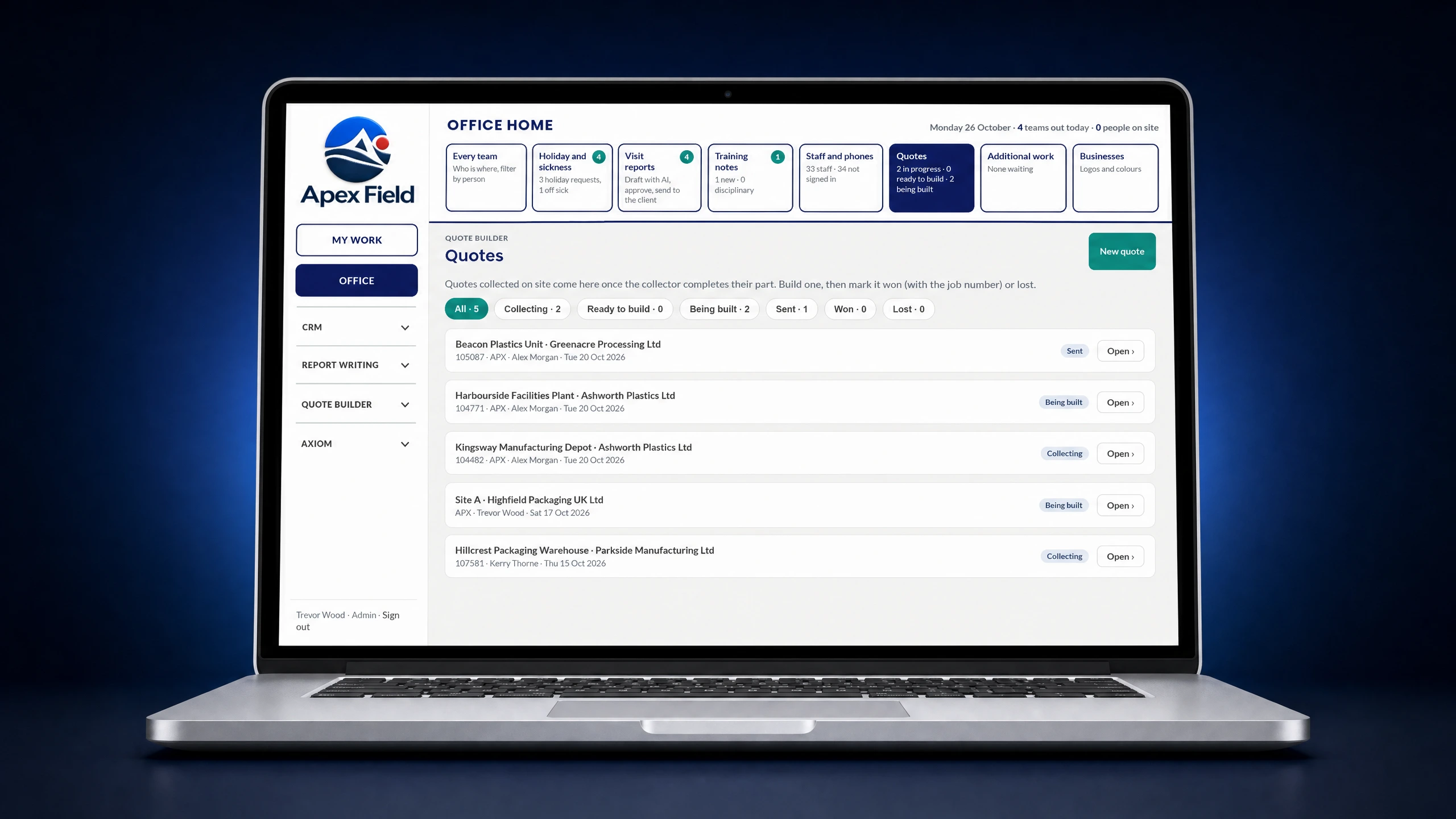
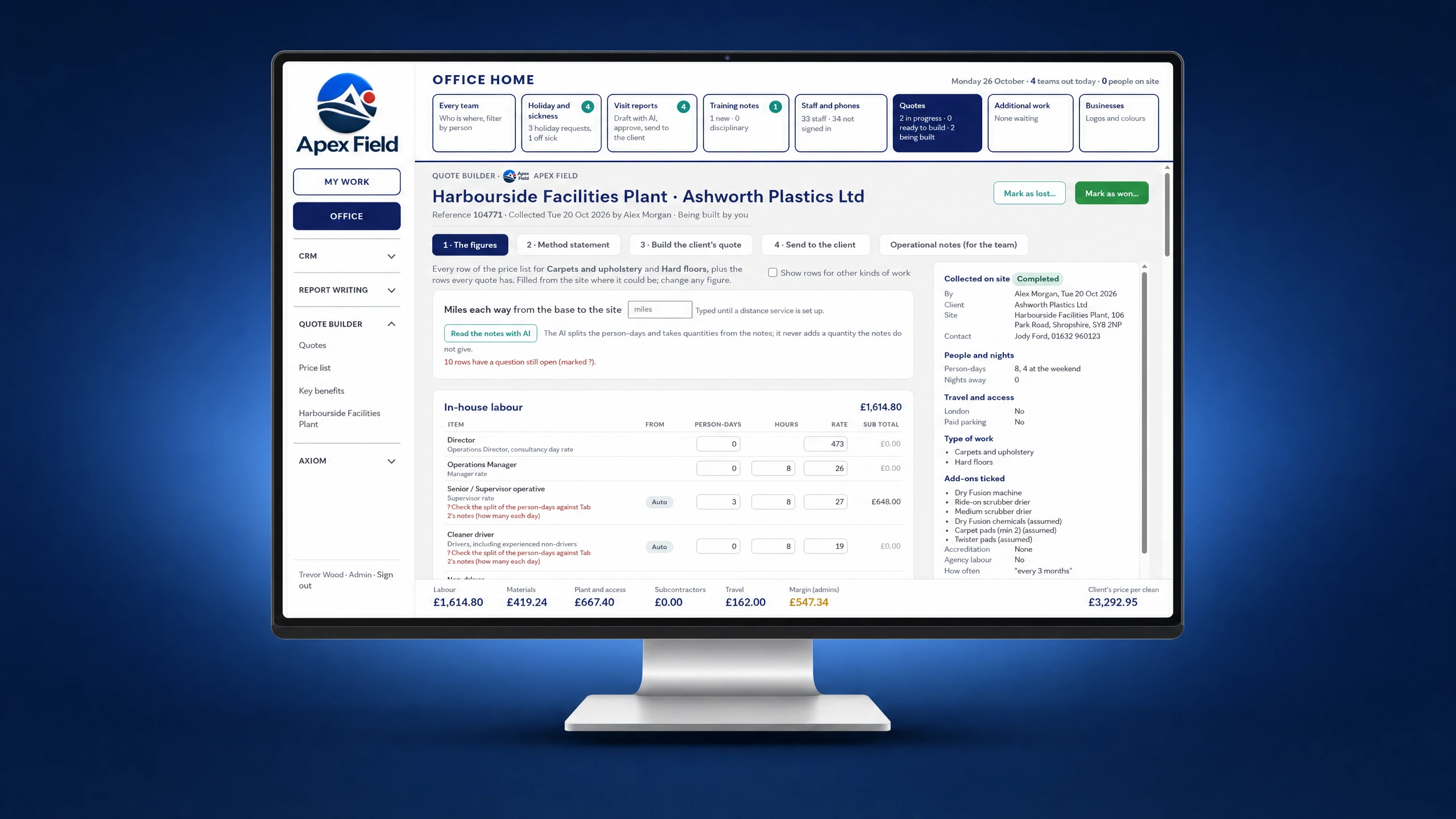
Office administrators have a desk-based option to finish quotes and prepare reports. Photos, notes and signatures collected during the visit give them the detail they need, without chasing the engineer to reconstruct what happened.
Already in use by a national cleaning firm, and suited to any company with field staff performing site work.
- Finish the quote in the office and send it to the client.
- Support online signatures or a paper/PDF signing process.
- Use completed visit information to prepare and send customer reports.
- Give customers a clear account of the work, reducing queries, complaints and issues.
Don’t leave extra work behind.
When staff find add-on or remedial work, they can collect the information on site and record work performed. Keep the opportunity and the evidence together, helping avoid lost business and increase revenue.
Part of the Apex workflow.
Apex Field focuses on the mobile visit and the office work around it. Explore Dinsdale Apex for the wider inspection, record and compliance capabilities.
Explore Dinsdale ApexCommon questions
- Is Apex Field just for mobile users?
- No. Apex Field is aimed at staff working on a phone in the field, with a desk-based option for administrators to complete quotes and prepare customer reports.
- How does a site visit become a quote?
- Staff collect photos and spoken or typed notes on site. The office uses that information to finish and send the quote. The client can sign online or on paper using a PDF.
- How is the work planned?
- Apex Field integrates with Visual Planning. Work can be assigned to staff together with the vans, equipment and plant required to carry it out.
- Can staff record extra work during the visit?
- Yes. Staff can collect information about add-on or remedial work and record work they perform, helping the business keep opportunities visible rather than lose them between the site and the office.
Show Us Your Process
Tell us which form or workflow is creating extra work. We’ll discuss how to simplify it and agree a practical next step.